Before installing modular screen walls, conduct a rigorous site assessment to ensure long-term stability and performance. Begin by verifying structural integrity: calculate dead loads (panel weight + mounting hardware) and live loads (e.g., maintenance personnel access), referencing architectural blueprints—not generic assumptions. While standard commercial walls often support 50–100 kg/m², load capacity varies significantly by substrate and age; concrete or masonry walls typically meet requirements, but drywall or lightweight partitions rarely do without reinforcement.
Use calibrated seismometers to measure ambient vibration—especially near HVAC systems, elevators, or industrial equipment. Frequencies above 5 Hz can induce visible image instability in high-resolution displays. Environmental conditions must also align with display specifications: maintain operating temperatures between 0–40°C and relative humidity at 10–80% RH. In high-dust environments—common in warehouses or construction-adjacent venues—particulate ingress can reduce display lifespan by up to 30%, per AV industry benchmarking studies. Ensure ≥20 cm rear ventilation clearance and specify IP65-rated enclosures for outdoor or harsh indoor deployments.
Mounting strategy must match both structural reality and operational intent.
| Method | Max Weight Capacity | Ideal Use Cases | Critical Checks |
|---|---|---|---|
| Wall-mounted | 800 kg/m² | Concrete/brick interiors | Wall material shear strength |
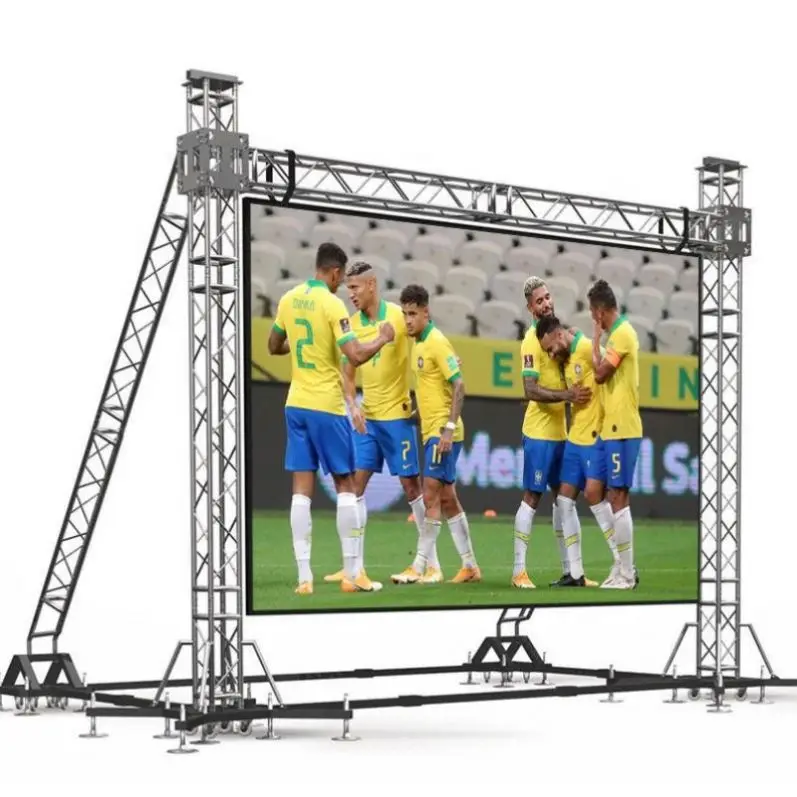
| Ground-supported | Custom foundations | Trade shows, rental deployments | Floor load limits & leveling |
| Suspended | 300 kg per anchor | Atriums, high-ceiling lobbies | Ceiling joist integrity |
In seismic zones, integrate cross-bracing and tuned mass dampers to suppress sway-induced misalignment. For ground-supported frames, use weight-distributing baseplates to prevent localized floor loading beyond 150 kPa—the threshold where many commercial slabs risk cracking. Suspended installations require certified rigging hardware and anchor-point calculations adhering to a minimum 3:1 safety factor. Regardless of method, reserve 60 cm of unobstructed service clearance behind screens to comply with AV integration best practices and enable safe, efficient maintenance.
Robust power and signal infrastructure forms the operational backbone of modular screen walls—directly influencing reliability, image fidelity, and system longevity. Poor planning here contributes to over 30% of avoidable display failures, according to industry failure analysis data.
Deploy dedicated 20A circuits for each display cabinet cluster to isolate electrical loads and eliminate cascading trips from unrelated equipment. Size Uninterruptible Power Supply (UPS) units at 150% of measured peak consumption—accounting for inrush current—and pair them with automatic transfer switches for seamless failover to backup generators during extended outages. For mission-critical 24/7 deployments, implement N+1 power supply redundancy: if one unit fails, the remaining units sustain full operation without degradation. This layered resilience ensures continuity through grid fluctuations, brownouts, or brief blackouts.
Consolidate all cabling within labeled, grounded EMT conduits—separated by function and shielded against interference:
Maintain a strict 30 cm (12-inch) separation between power and signal conduits to suppress electromagnetic interference. Apply color-coded heat-shrink sleeves at termination points—e.g., blue for video, green for control, red for power—to accelerate troubleshooting and future upgrades. This disciplined approach reduces signal degradation by up to 40% compared to ad-hoc routing and supports scalable expansion without rework.
Select a controller purpose-built for modular screen walls—not repurposed broadcast or consumer-grade hardware. Native support for display synchronization protocols (e.g., Genlock, PTP, or proprietary frame-lock) is non-negotiable for artifact-free operation. HDCP 2.2 or 2.3 compliance is mandatory for encrypted content playback, required in 92% of commercial deployments (ProAV Magazine, 2023). Prioritize models offering:
Controllers should provide intuitive, secure web-based dashboards and mobile apps for real-time layout management and source switching. Native IP and RS-232 interfaces ensure seamless integration with third-party control platforms like Crestron or Extron—critical for unified facility-wide AV management.
Visual coherence across a modular wall demands precision engineering—not approximation. Achieve alignment within ±0.5 mm tolerance and color consistency targeting ΔE <3 (measured via spectrophotometer) to meet professional digital signage standards. Calibration follows three rigorously defined phases:
| Phase | Tools & Metrics | Outcome |
|---|---|---|
| Geometric Alignment | Laser levels & alignment software | Seamless panel joints |
| Color Uniformity | Spectrophotometers, targeting ΔE<3 | Consistent hue/saturation |
| Luminance Balancing | Light meters, 500–1500 nit scaling | Uniform brightness |
Enable network-connected remote diagnostics to monitor panel temperature, voltage stability, signal lock status, and color drift in real time. Configure automated alerts—for example, triggering recalibration when ΔE exceeds 5—to facilitate proactive interventions. This workflow cuts unscheduled maintenance downtime by 30–50% and extends display life through early firmware updates and environmental compensation (Digital Signage Federation, 2023). Conclude calibration with a 60-minute stress test using dynamic 4K HDR content to validate thermal stability, timing accuracy, and luminance uniformity under sustained peak load.
Key factors include evaluating structural load capacity, ambient vibration, and environmental conditions such as temperature and humidity. It's also important to ensure adequate rear ventilation clearance.
Three common methods are wall-mounted, ground-supported, and suspended installations, each suited for specific structural realities and use cases such as concrete interiors, trade shows, or atriums.
Deploy dedicated circuits and UPS for power, and use labeled, grounded conduits for signal routing to prevent interference. Additionally, clear separation between power and signal conduits is crucial to reduce electromagnetic interference.
Select a compatible video wall controller, perform pixel-perfect alignment and color calibration, and enable remote diagnostics for real-time monitoring and maintenance.
 Hot News
2025-05-27
2025-09-25
2025-09-23
 EN
EN